
type
Post
status
Published
slug
abc/11
date
Nov 4, 2024
summary
category
技术
tags
分享
icon
password
AI 摘要
一、自动拉取 fork 源上游
方法一:apps pull
:只要你不改fork 库的内容,那么是纯净同步模式,时间点都和上游仓库一致。同步更新时间 3 个小时以上。
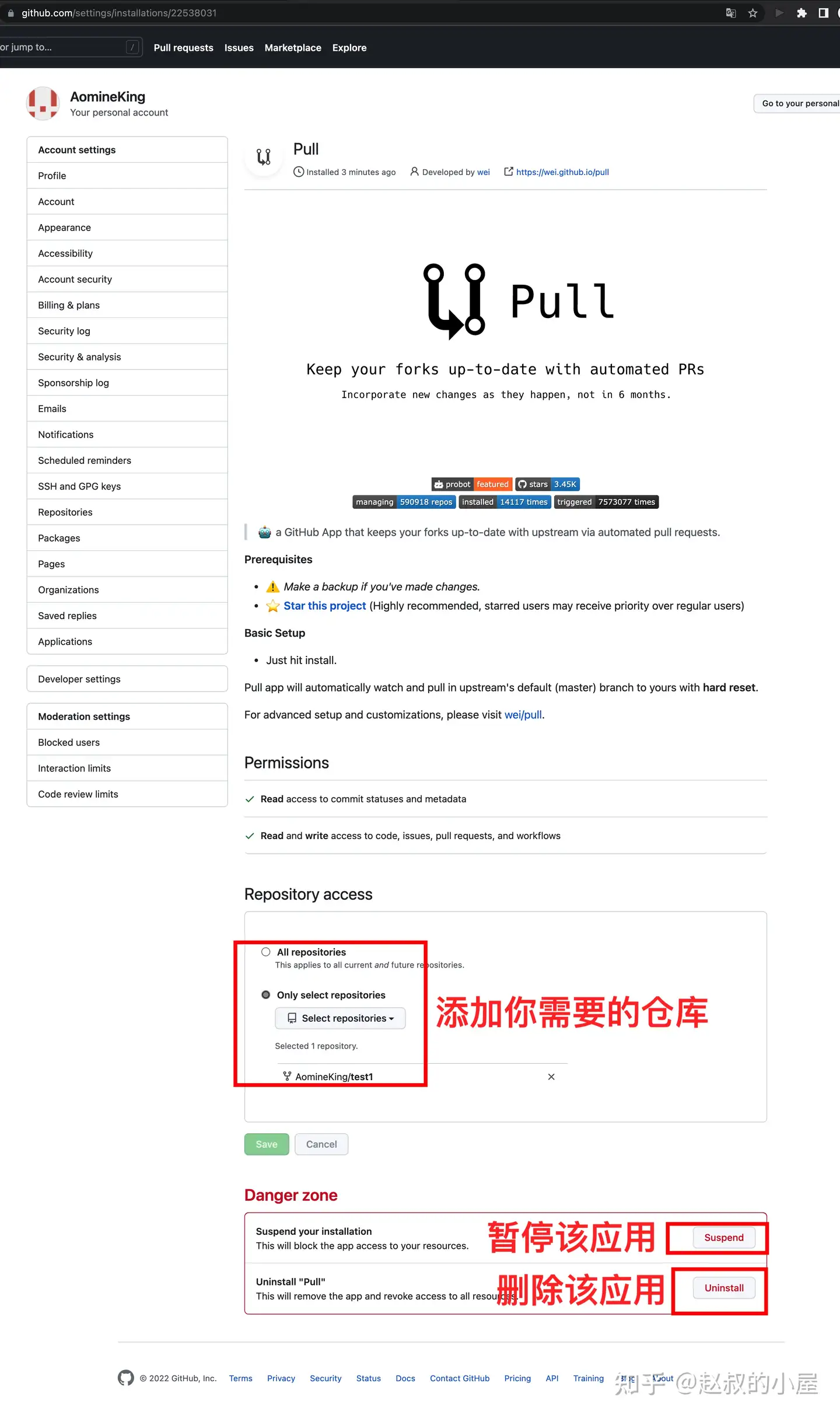
安装 github app
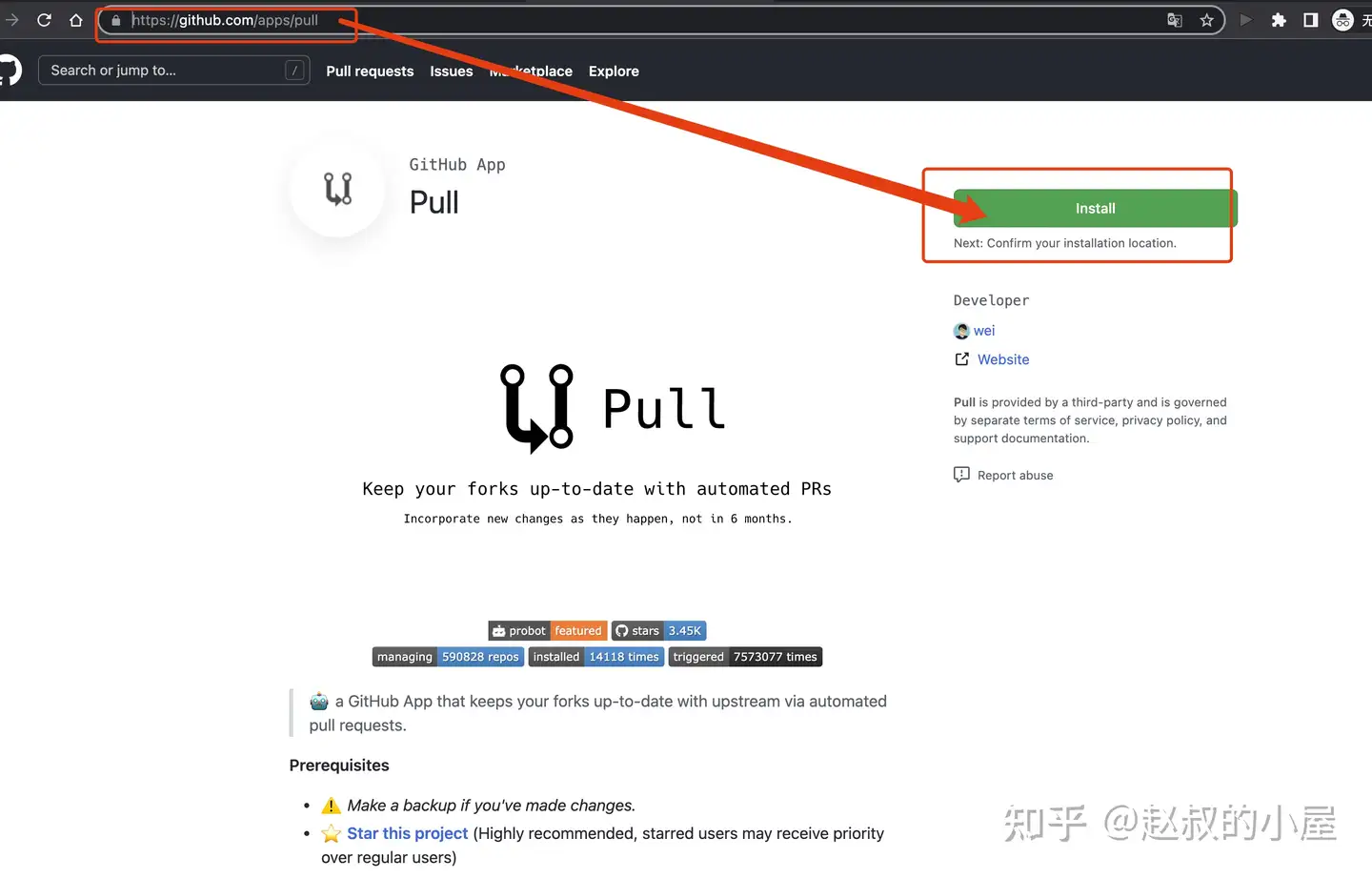
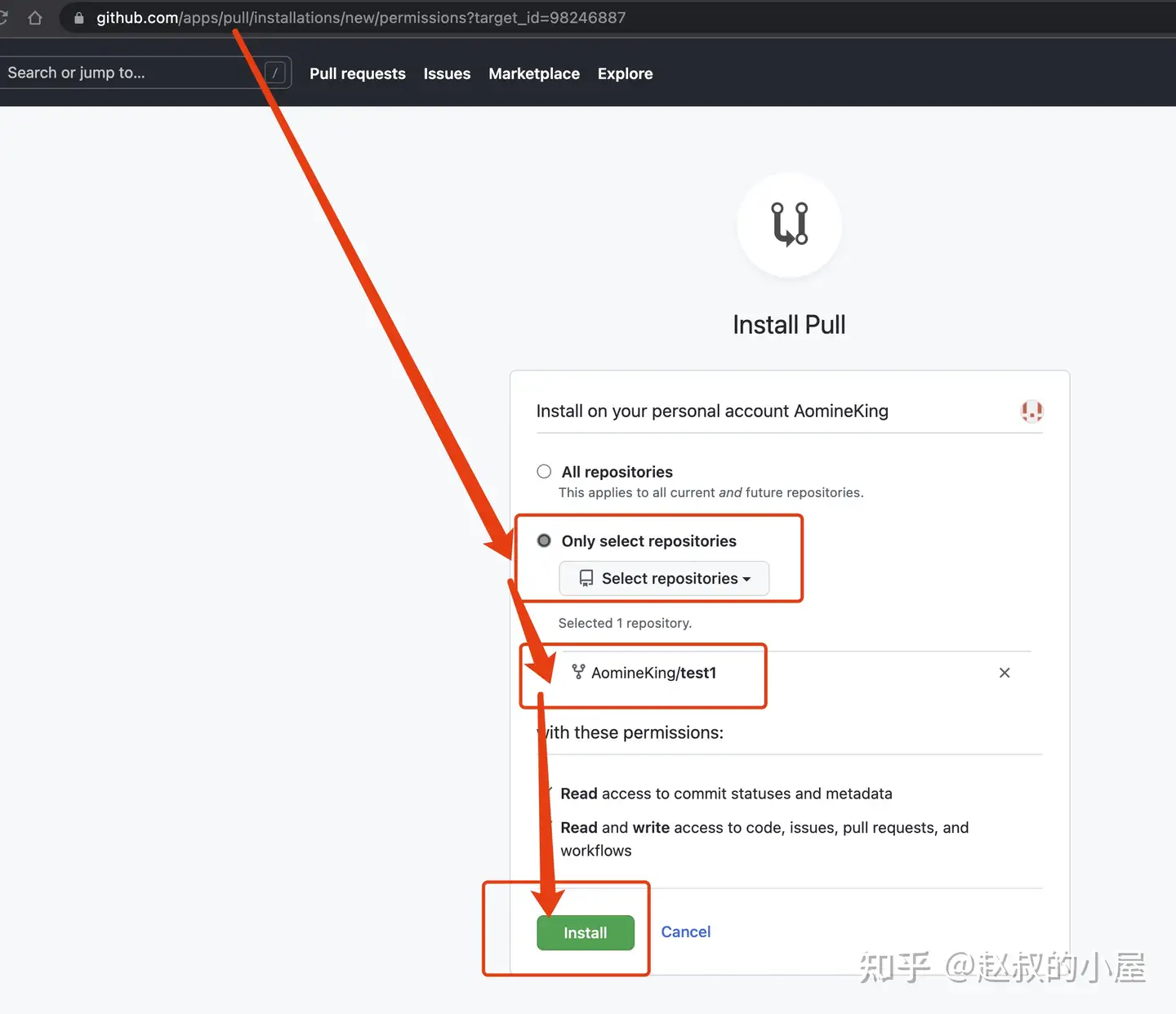
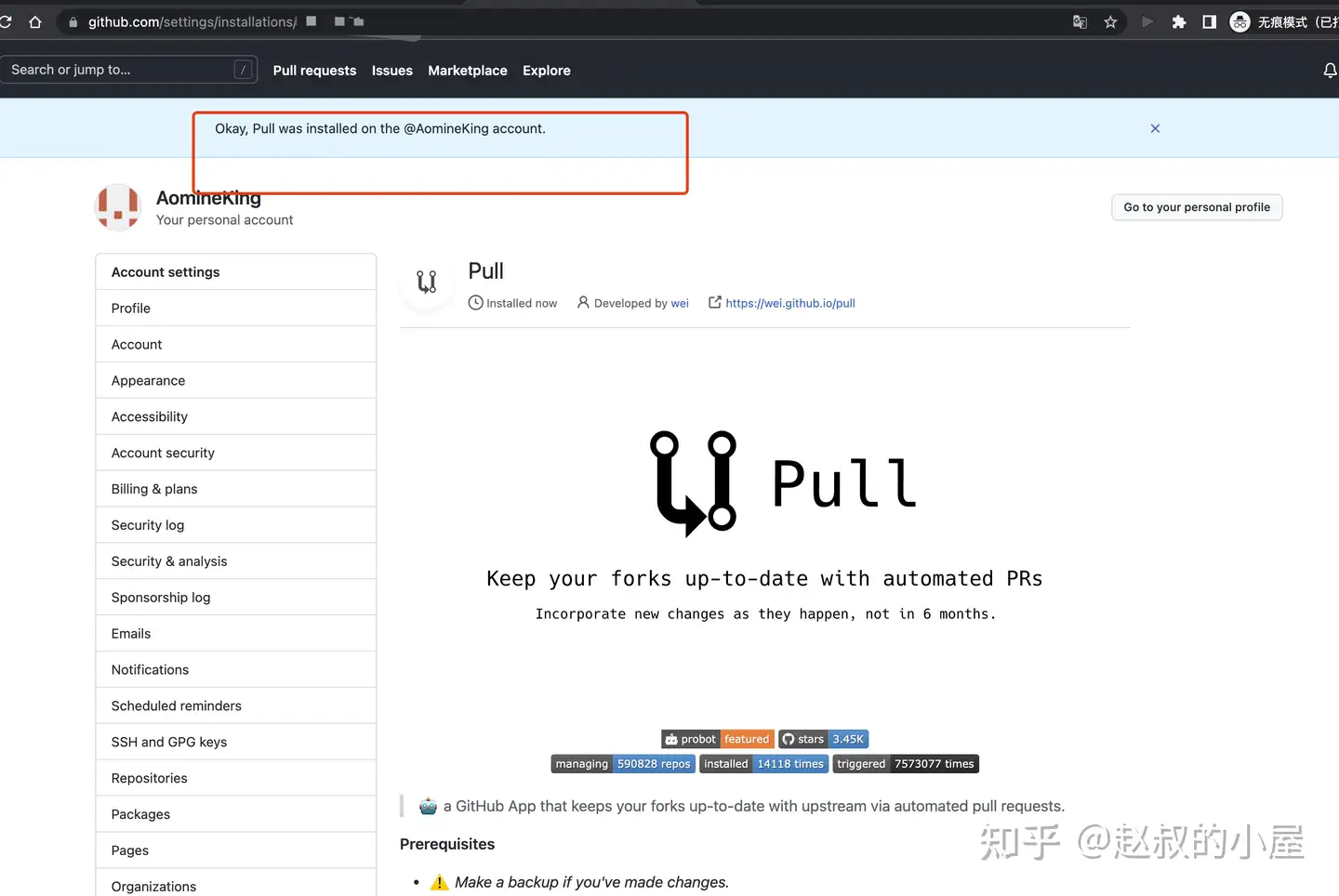
如何打开进入安装好的 APP
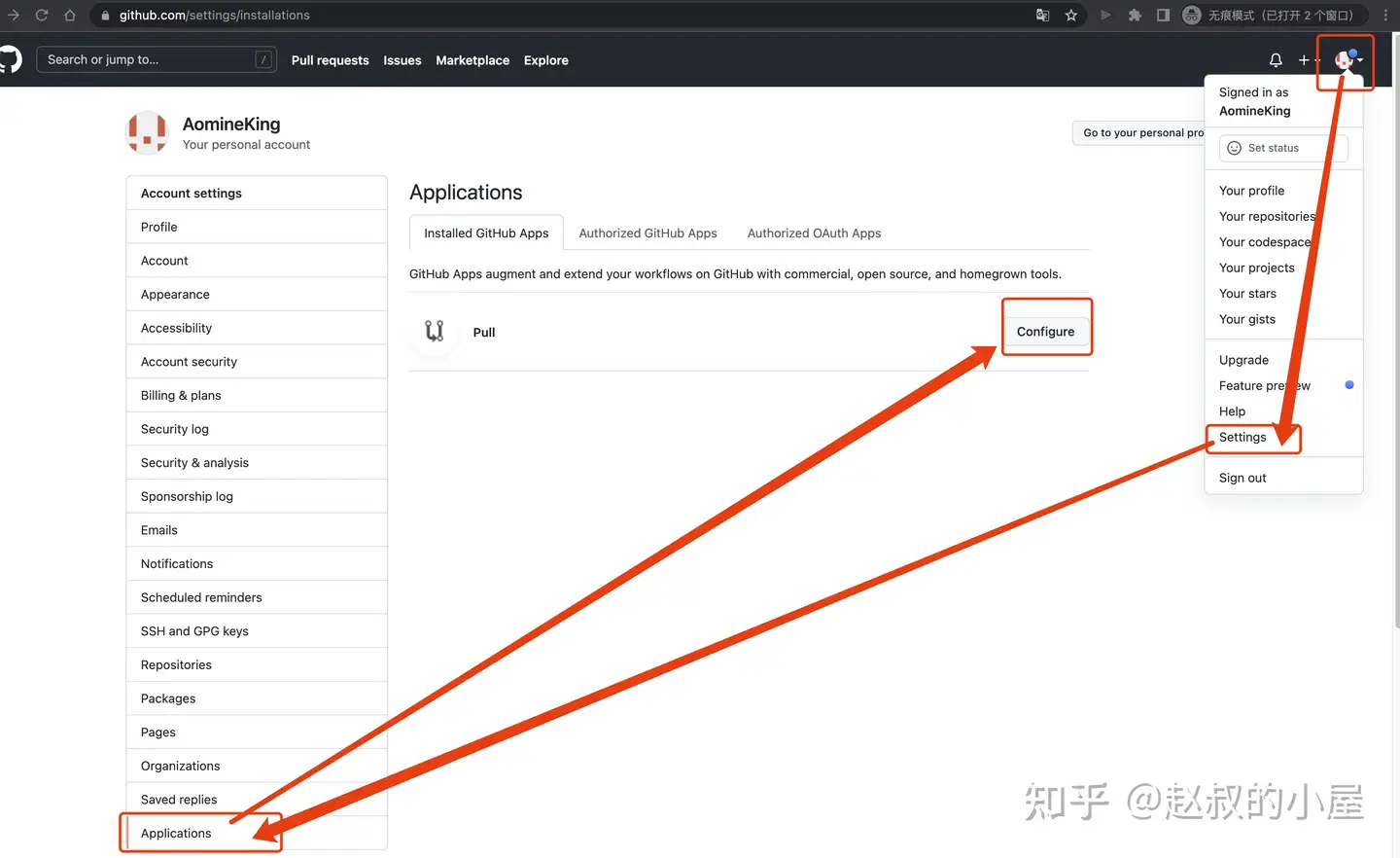
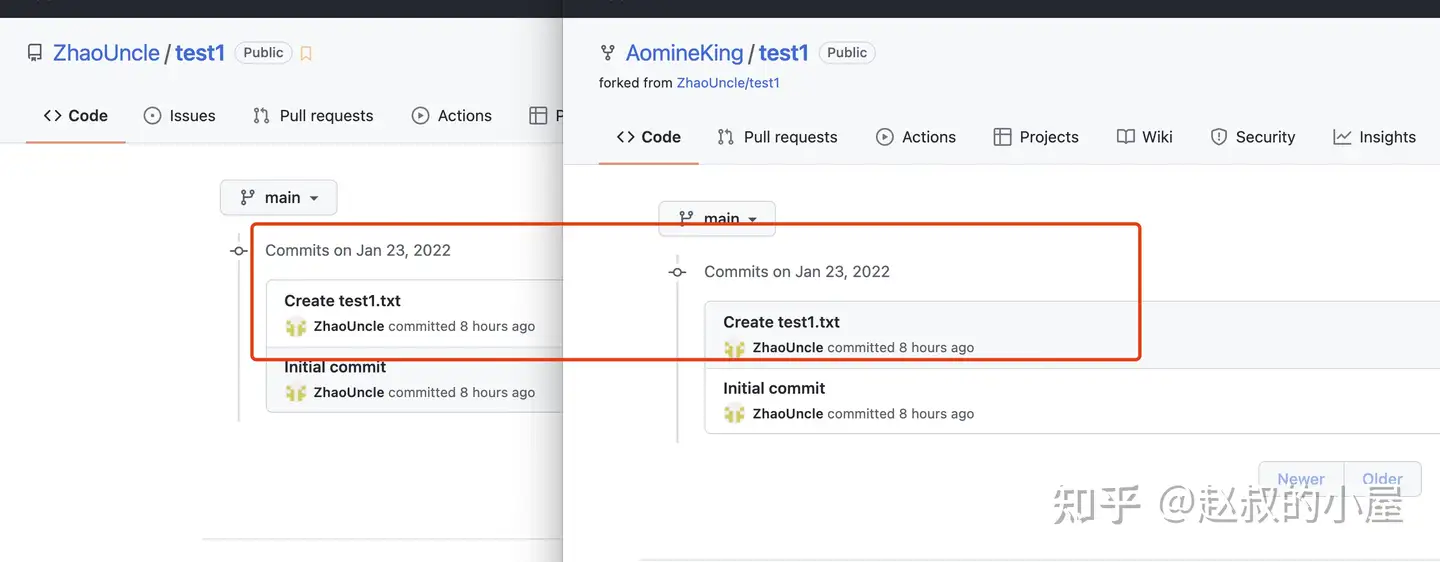
上游仓库改变,过了几个小时后,自动同步成功
方法二:github Actions
列表 | github 商店 |
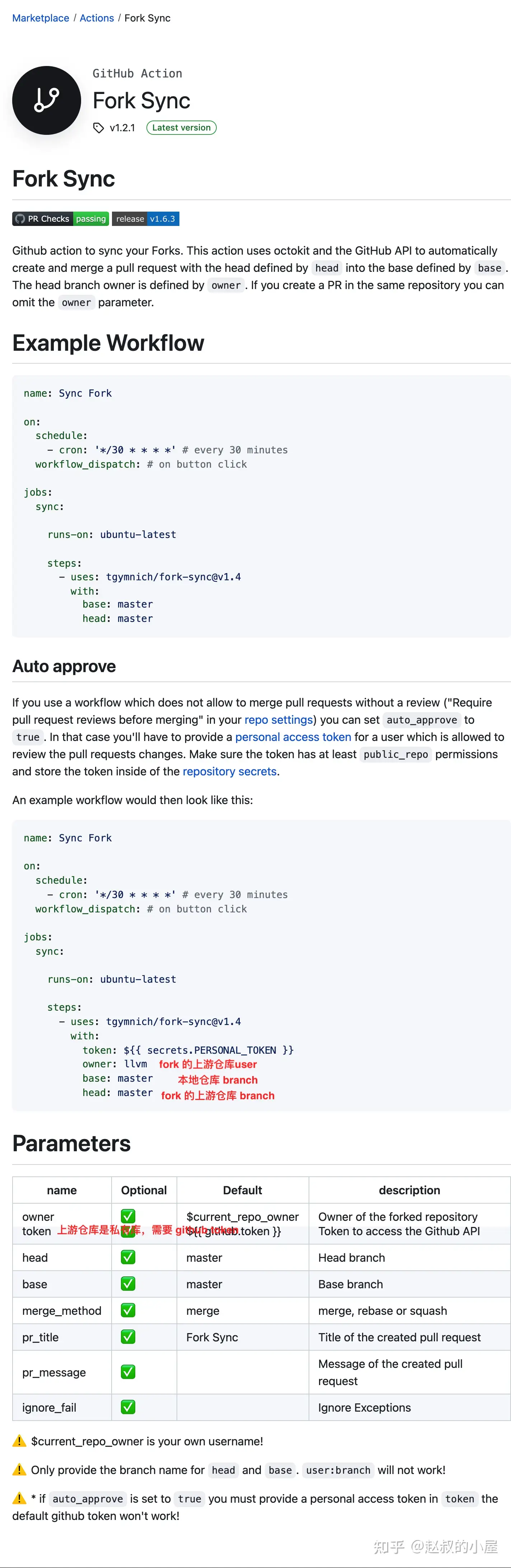
Fork Sync
自用配置
二、手动拉取 fork 源上游
情况一:代码不冲突
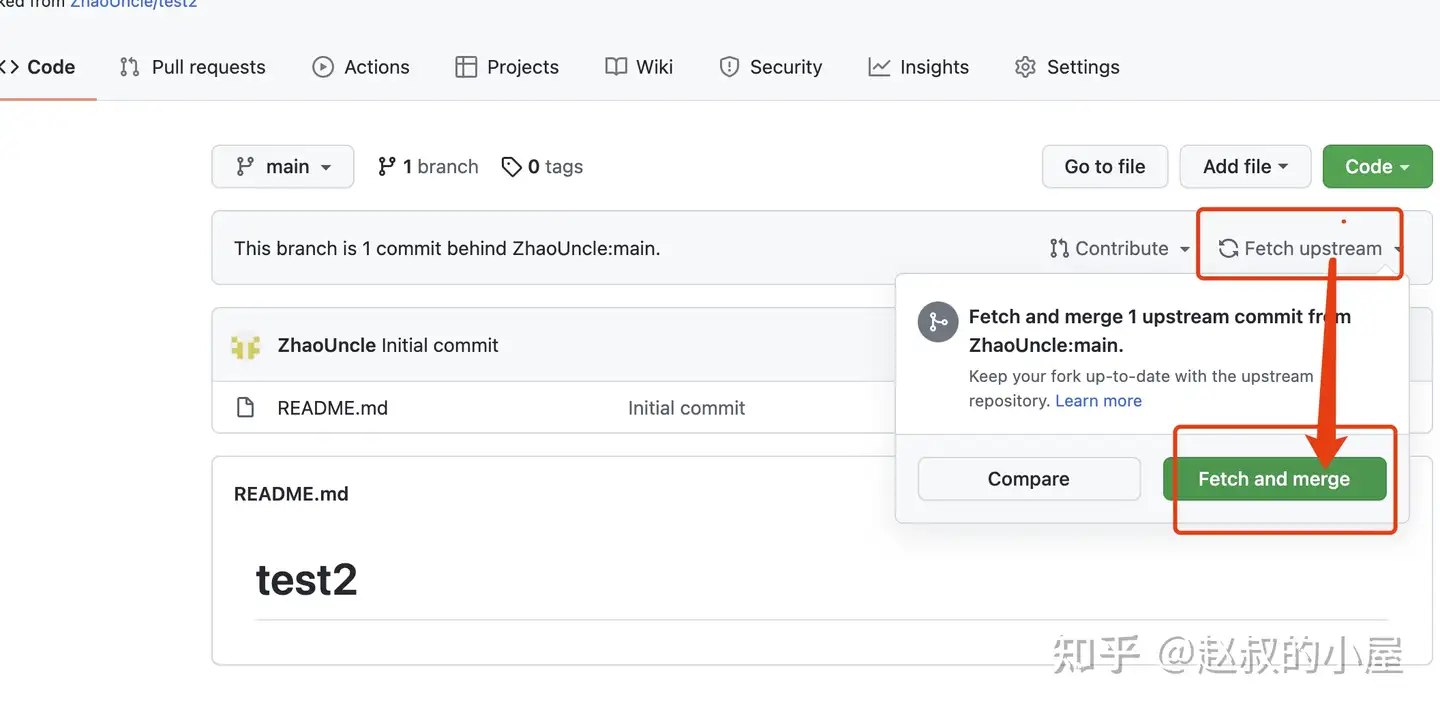
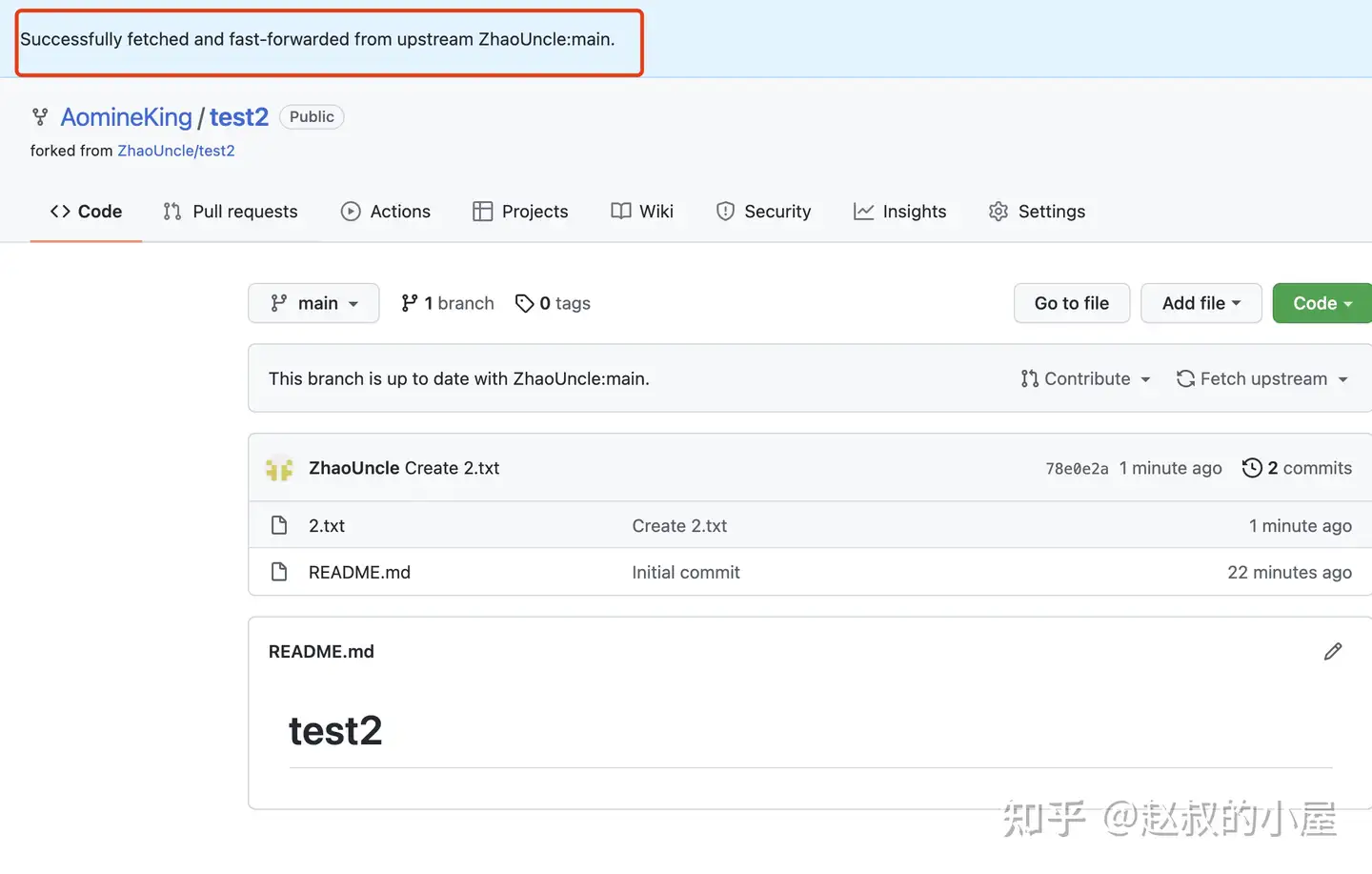
方法一:Fetch upstream
:同步是干净的,完全同步
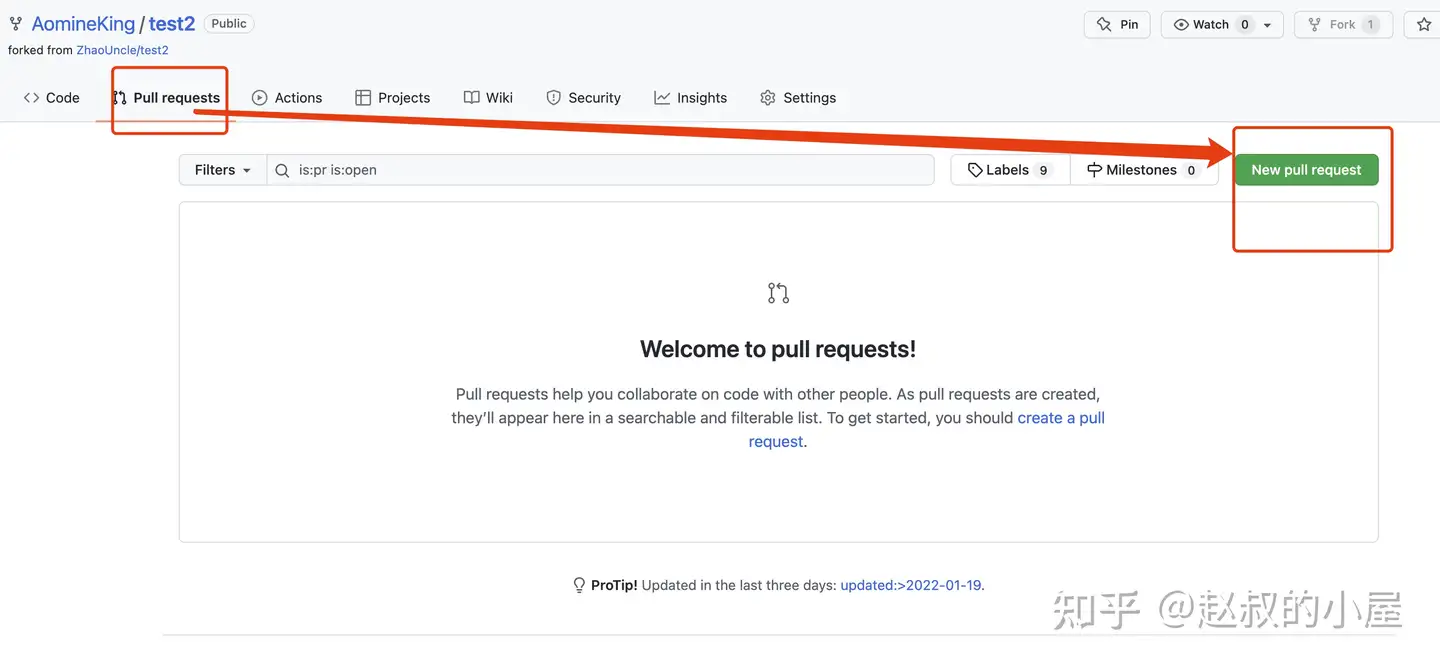
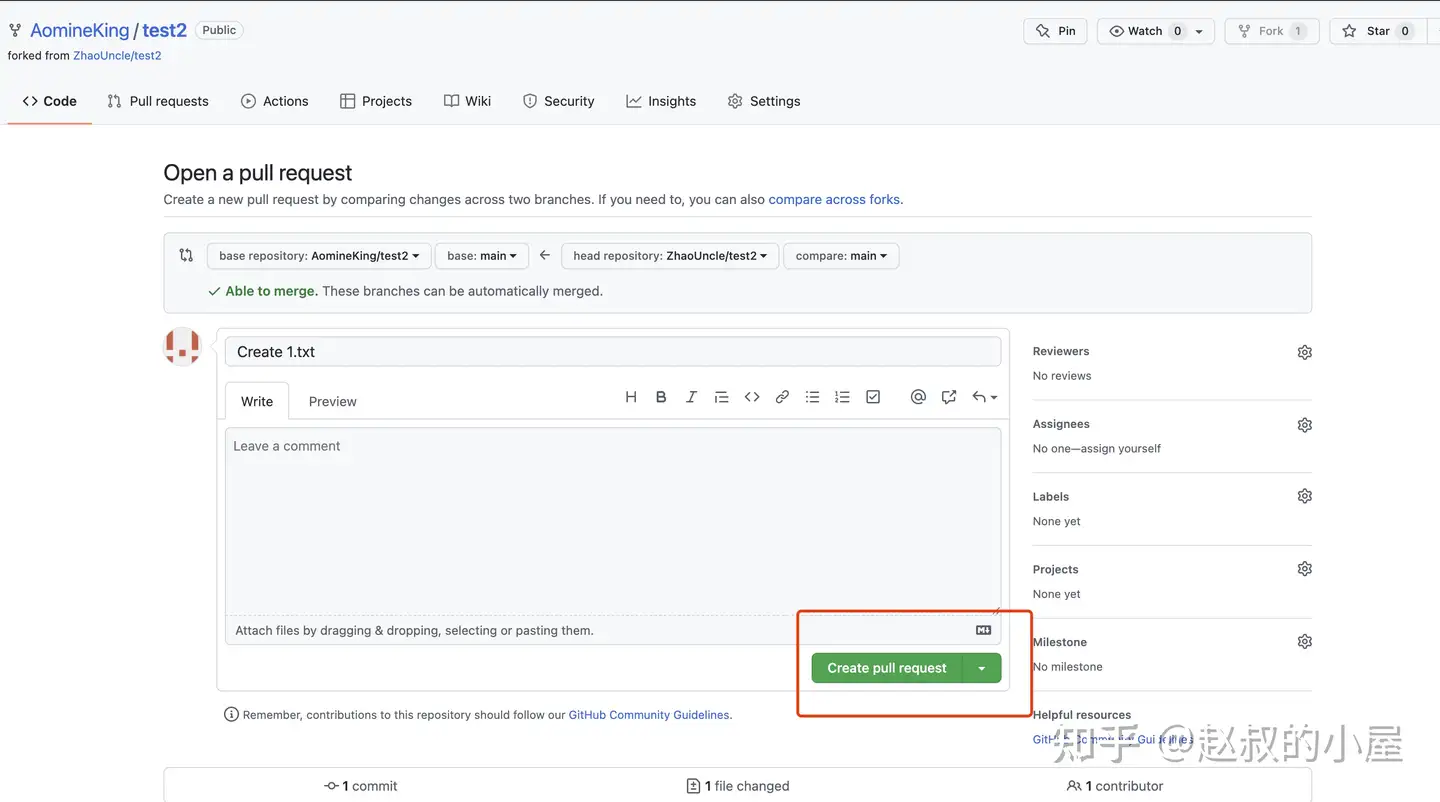
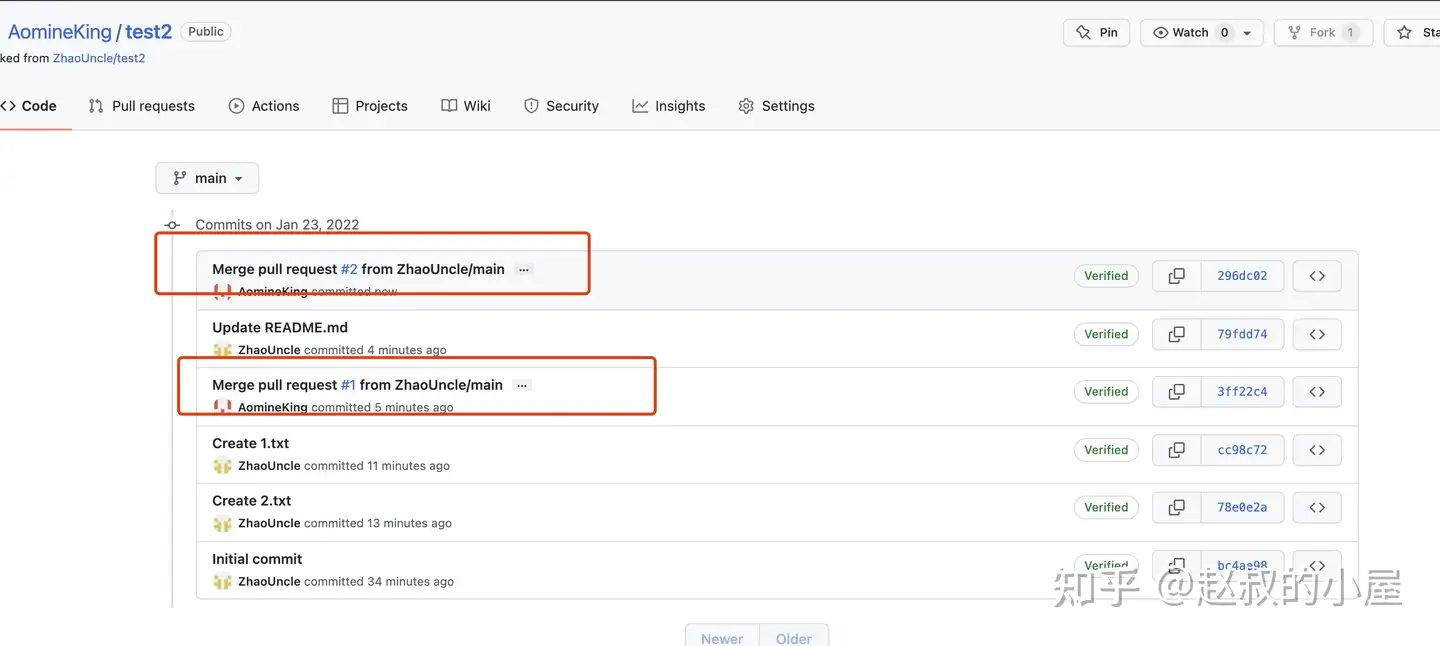
方法二:Pull requests
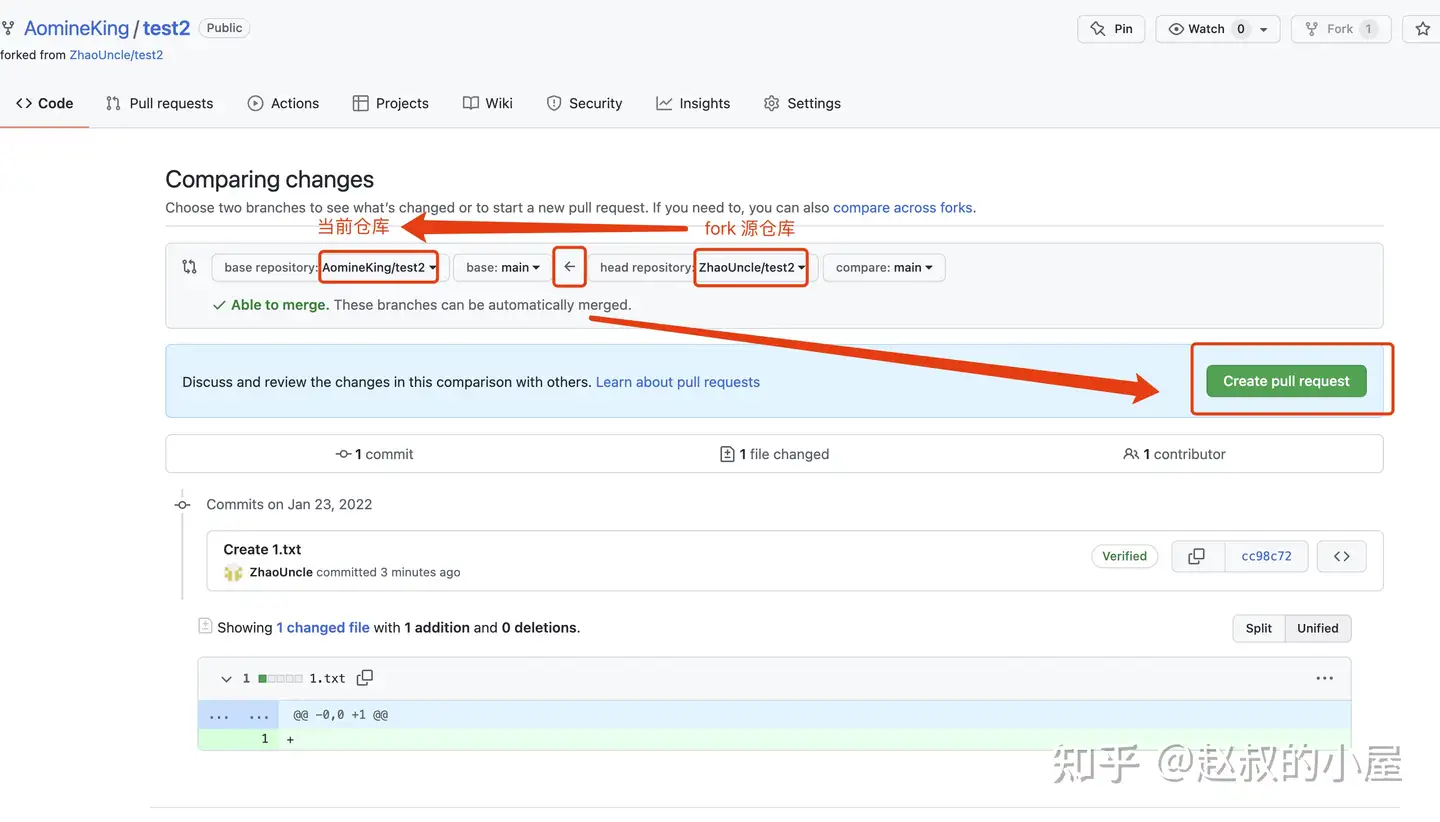
:注意,一定是从源仓库,也叫做上游,——>> merge 到,本地仓库,箭头方向一定要对。
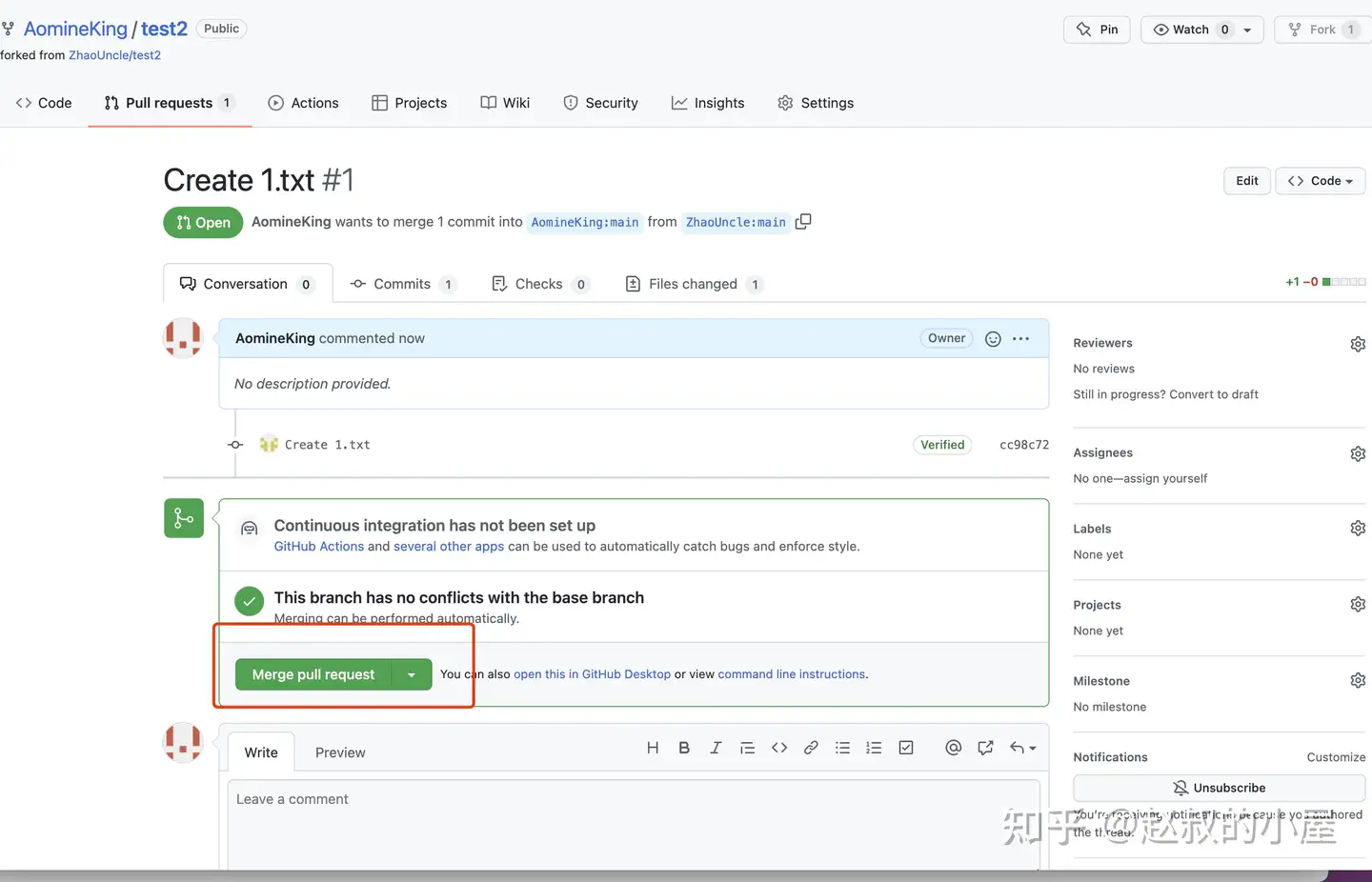
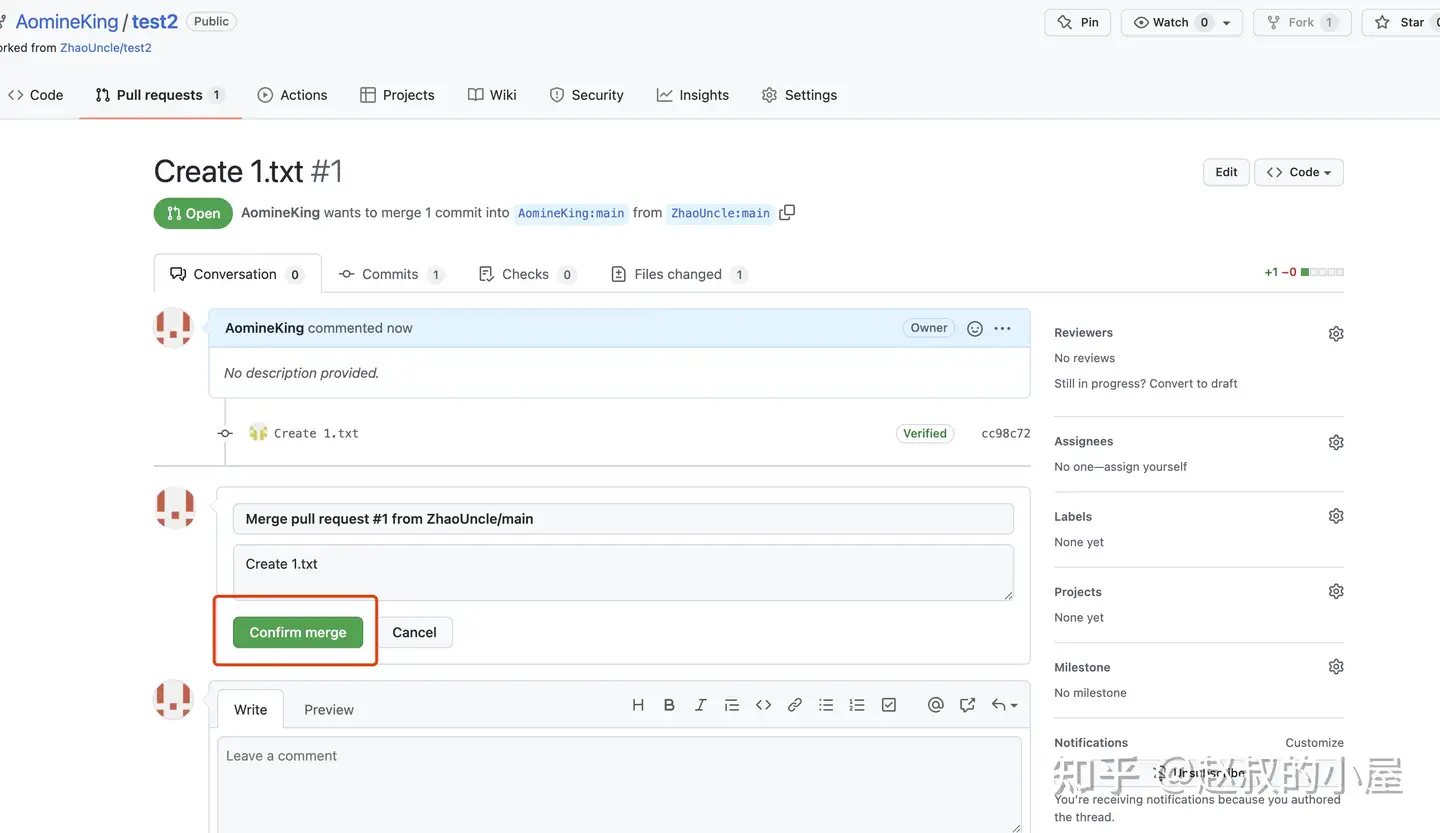
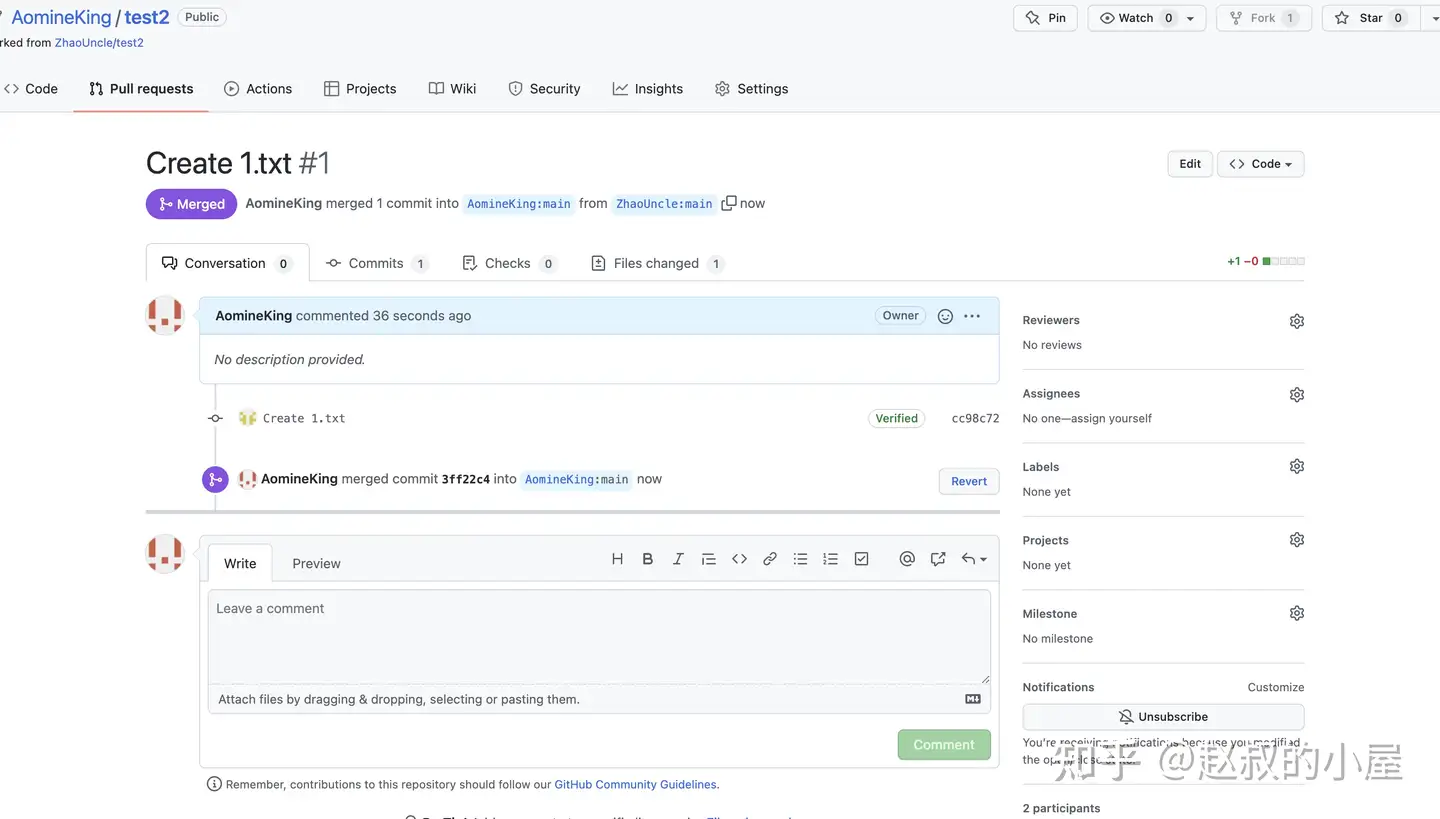
####遇到的问题
如果你显示的不全,需要点击“compare across forks”
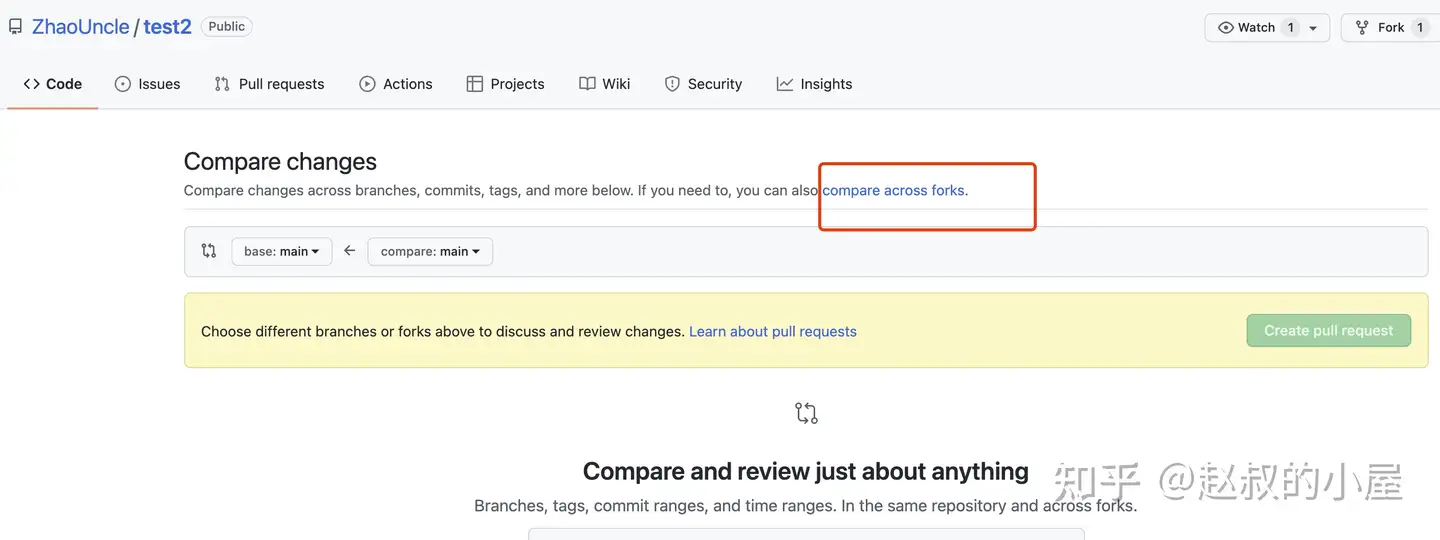
该方法会导致 commit 记录比 fork 的源多,如果你要保持该仓库的干净整洁,这种 merge pull requests 的情况就不合适了。
方法三:命令行同步复制
指定fork 的上游仓库
验证
验证,显示结果
> upstream  https://github.com/ORIGINAL_OWNER/ORIGINAL_REPOSITORY.git(fetch)
> upstream  https://github.com/ORIGINAL_OWNER/ORIGINAL_REPOSITORY.git(push)
进入本地仓库
从上游获取提交数据
检出 fork 的本地默认分支,这里用 main 测试
将上游默认分支,本例中为 upstream/main 的更改合并到本地默认分支,记得要按 q 退出编辑模式,不会就直接关闭当前命令行在进入
推送到 github
三、自动推送到 gitee
github Actions 方法
推荐列表 | github 商店 |
Hub Mirror Action | |
repository-mirroring-action | |
Git Mirror Action | |
mirror-action | |
Mirror to GitLab and trigger GitLab CI |
Hub Mirror Action
参考列表:
- Hub Mirror Action :github 源码库
- Sync GitHub to other hub :一个用于展示如何使用这个action的模板仓库
- 自动镜像 GitHub 仓库到 Gitee:一个关于如何使用这个action的介绍
- 巧用Github Action同步代码到Gitee: Github Action第一篇软文
过程
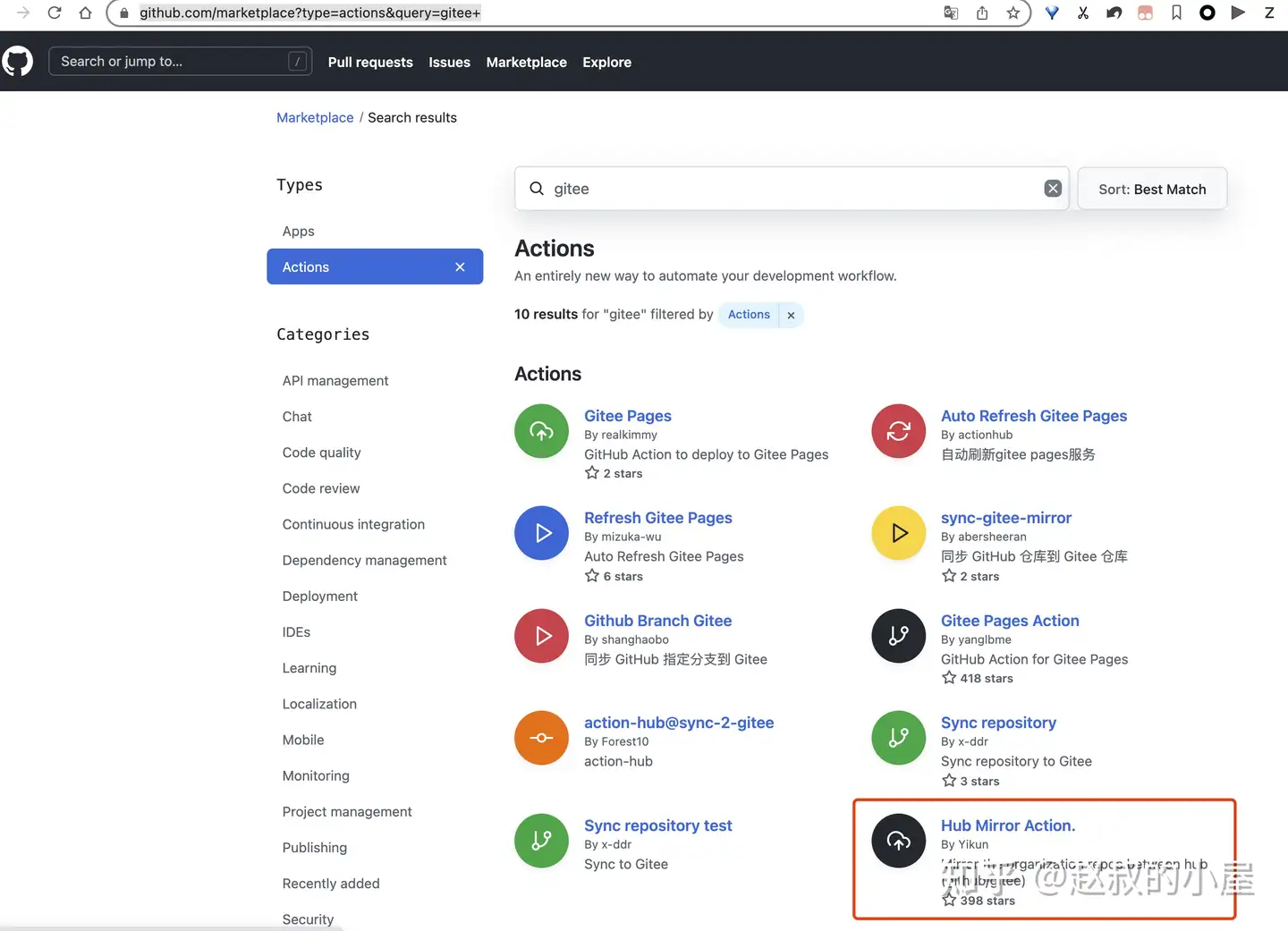
- 一开始在 github 商店找 actions 方法,还是打算直接通过集成实现,因为 gitee 免费版不具备相关自动化的功能。
然后发现,stars 数最高的一个项目,参考下,可以支持多 repo 仓库,那么可以单独拆开,也可以设置一个统一的推送仓库来配置,非常不错
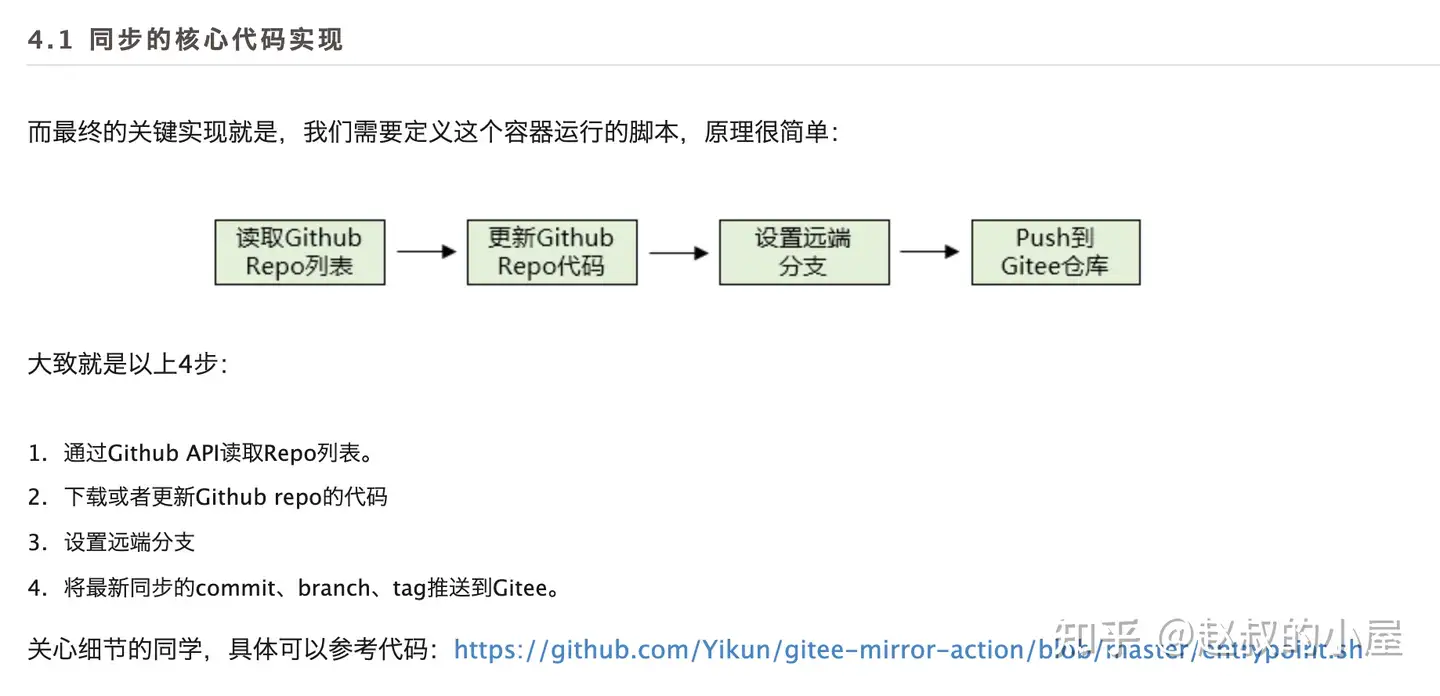
- 代码核心流程
个人使用模板
要注意的地方: on.push.branches 或者 on.pull_request.branches 不管是哪个仓库,由于 github 上面旧的仓库还是 master 而不是 main,所以你要改成对应的
配置参数:
我直接借用大佬们的截图,我这里就不做展示了,请见谅
参考一:

参考二:
用到的地址:
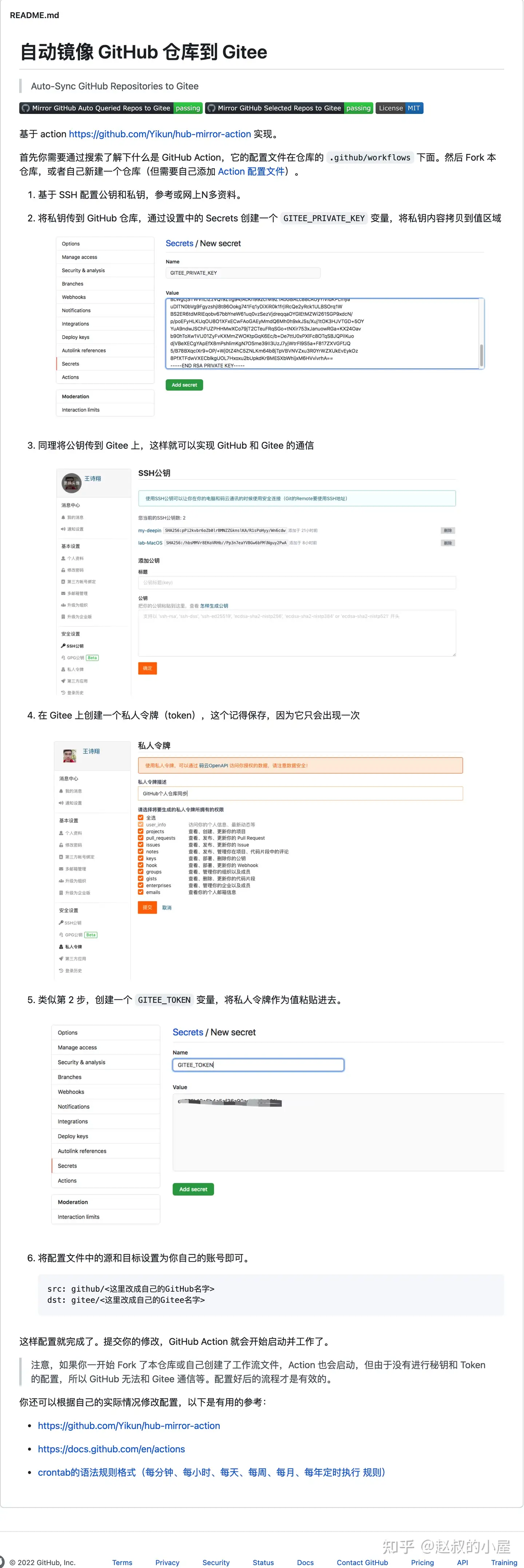
- github ssh key 配置地址:https://github.com/settings/keys
- gitee ssh key 配置地址:https://gitee.com/profile/sshkeys
- github toekn 配置地址:https://github.com/settings/tokens
- gitee token 配置地址:https://gitee.com/profile/personal_access_tokens

想简单使用,可以直接使用以下方式
fork 该仓库到你本地,然后修改 相关参数就好了,截图如下
文章来源知乎:https://www.zhihu.com/question/28676261/answer/2323707750
- 作者:Yong Liu
- 链接:https://blog.ikiss.eu.org/article/abc/11
- 声明:本文采用 CC BY-NC-SA 4.0 许可协议,转载请注明出处。
相关文章